![White logo TopLeft_240x78.png]](https://help.topleft.team/hs-fs/hubfs/White%20logo%20TopLeft_240x78.png?height=50&name=White%20logo%20TopLeft_240x78.png)
You can update your tickets, projects, and other PSA work records from TopLeft using a convenient editing form.
-
On Kanban boards, click a card to open the editor for that card.
- On Gantt charts, click a taskbar to open the editor for that record.
The editing dialog looks like this:
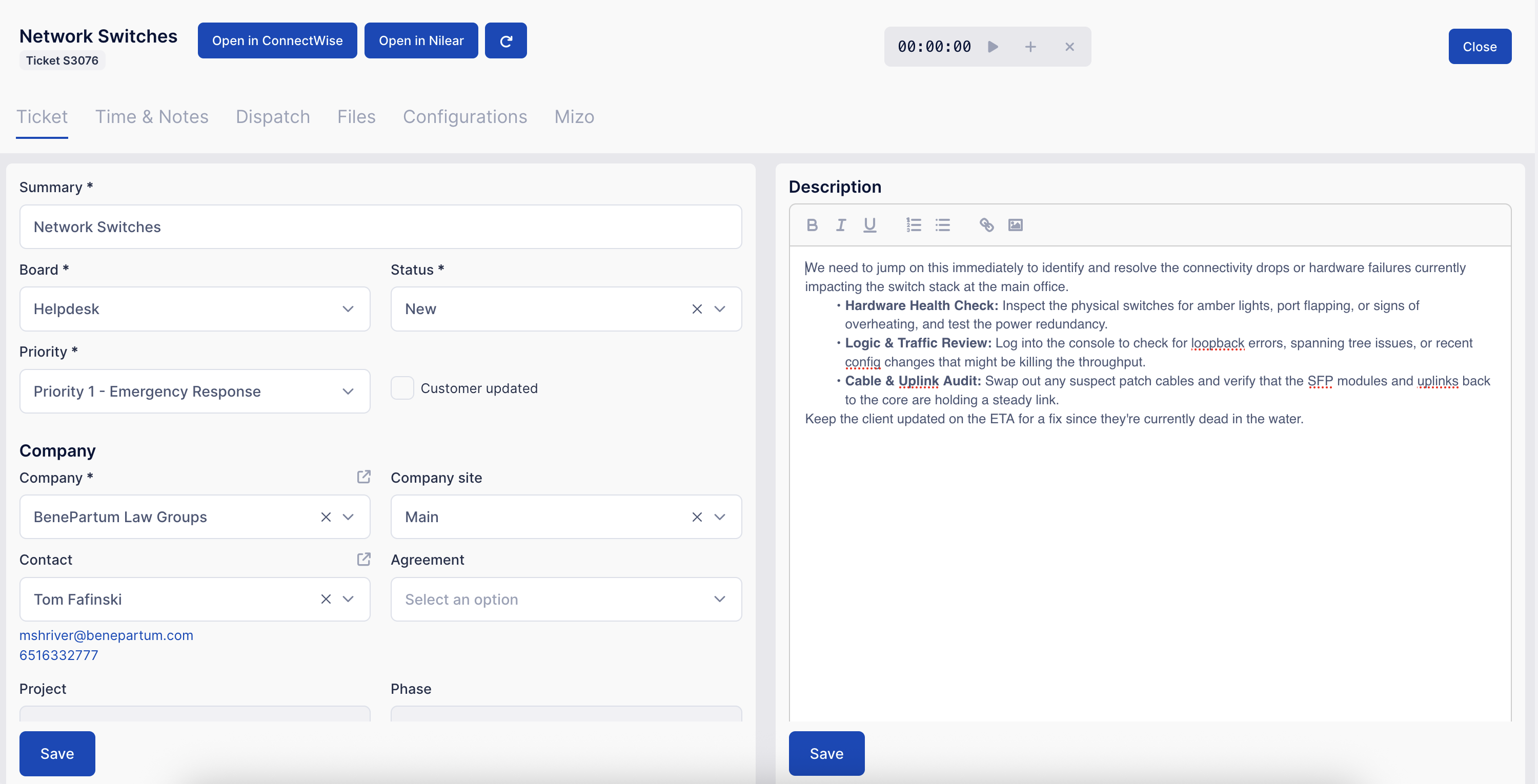
There are a number of tabs, each with its own data to be edited. The tabs available depend on what type of record is being edited.
Each form has its own Save or Submit button. Be sure to save a form before dismissing the dialog. If you don't, you'll see a prompt asking if you really want to discard your changes.